On this page+
01 / SEO
The photo exists. Google may still miss it.
A good photograph can do a lot of work. It can show the colour of a Sheung Wan shopfront, prove what a product looks like in a person’s hand, or let a student understand a camera setup before the paragraph gets there. Yet the web is full of gorgeous images that are effectively wearing an invisibility cloak: a CSS background, a vague filename, no alt text, a 6 MB upload and a page that takes a small eternity to settle.
That is the heart of 圖片 SEO—or, in English, image SEO. You are helping search systems and people answer four ordinary questions: What is this? Is it relevant here? Can I access it quickly? Am I allowed to use it? Miss one, and the picture may still look fine to the person who uploaded it. Search, however, is less sentimental.
Google’s Image SEO guidance says it extracts information from the image’s page, including surrounding text, captions, titles and alt text. It also recommends standard HTML image elements, supported formats and image sitemaps. Notice the theme: context and access, not keyword confetti.
“The picture is part of the page’s meaning, not a sticker pasted on after the writing is finished.” — A useful image-SEO rule of thumb

Give every important image a stable URL, a sensible filename, useful alt text, the right dimensions, an appropriate format, nearby explanatory copy and a loading strategy that respects the first screen. Then measure what happened. That is the job. No incense required.
02 / SEO
What Google can read—and what it cannot
Start with the basic implementation. Google’s current documentation says crawlers can find images in the src attribute of an <img> element, including an image used as the child of <picture>. It explicitly gives CSS background images a much less friendly treatment: Google Search does not index them as image content. So if a product photo is important, do not hide the only copy in a decorative stylesheet.
<!-- A crawlable content image -->
<img src="tai-o-seafood-market.jpg"
     alt="Fresh seafood stalls at Tai O market in Hong Kong"
     width="1600" height="1067">

<!-- A visual background; do not use this for your only important image -->
<div class="hero" style="background-image:url(hero.jpg)"></div>| Signal | What it helps explain | Practical move |
|---|---|---|
| src / stable URL | Where the image file lives and whether a crawler can fetch it. | Use a permanent, public URL; avoid a URL that changes on every page load. |
| alt text | The image’s subject or purpose, especially for accessibility. | Describe what matters in this context; leave decorative images with empty alt text. |
| Nearby text and caption | Why the image belongs on this page and what detail a user should notice. | Place the image beside the paragraph it proves or illustrates. |
| Filename and title | Extra clues about the asset’s subject. | Use descriptive words, not a camera-generated code or a keyword pile. |
| Image sitemap | A discovery path for images, including ones reached through JavaScript. | Add image entries when your site has a large, dynamic or difficult-to-crawl image library. |
An image sitemap can help Google discover images that it might otherwise miss, especially when a site reaches them through JavaScript. It is a discovery aid, not a ranking lever. If the image is blocked by permissions, buried behind a login or attached to a thin page, a sitemap cannot wave a magic wand over the problem.
There is another easy-to-miss detail: the image and the page should agree. A file called `best-hong-kong-coffee.jpg` sitting beside a paragraph about camera lenses is not clever; it is confusing. Search engines are trying to build a consistent picture of the page, while your filename is telling a different story from your caption. Someone in that conversation is going to look unreliable.
03 / SEO
The file-name, format and weight triangle
File names are small, but they are not nothing. `IMG_4821.JPG` tells a crawler almost zero. `north-point-chun-yeung-street-photographer.jpg` gives the file a subject, a place and a relationship to the page. Keep it readable, use hyphens where possible, avoid a long string of near-duplicate words, and do not rename an established URL casually if the old one has backlinks or image traffic.
| Format | A sensible fit | Watch-out |
|---|---|---|
| JPEG | Photographs with many colours, gradients and texture. | Repeated re-saving can add compression damage; export once at a useful quality. |
| WebP | Photos and graphics when browser/CMS support is reliable. | Check fallbacks and the actual output; an extension should match the file type. |
| AVIF | Very efficient modern delivery when your stack and analytics support it. | Test decoding, fallbacks and editing workflows; ‘smaller’ is not the only acceptance test. |
| PNG | Transparent graphics, screenshots or simple illustrations where lossless edges matter. | A photographic PNG can be comically heavy. |
| SVG | Logos, icons and vector diagrams. | Do not put a photograph into an inline SVG wrapper and assume image indexing will improve. |
Google lists BMP, GIF, JPEG, PNG, WebP, SVG and AVIF among supported image formats in its image best practices. The practical instruction is delightfully unglamorous: the file extension should match the file type, and the result should stay sharp enough to be useful. Tiny and blurry is not an SEO win; huge and beautiful is not a user-experience win.
Before
IMG_4821.JPG

After
hong-kong-night-photography-workshop.webp

The second name is descriptive. It does not need to repeat
“image SEO” three times. Please, let the poor filename breathe.
Keep the original master somewhere safe, then publish a web copy at the largest display size you genuinely need. Compare file weight, sharpness on a phone, text legibility and the page’s loading trace. The ‘perfect’ quality number does not exist; the usable one does.
04 / SEO
ALT text is not a keyword bucket
Alt text has two jobs that overlap but are not identical: accessibility and image understanding. Google calls it the most important attribute for providing more metadata about an image, while also stressing its value for people using screen readers or a low-bandwidth connection. That is a fairly good clue about the priority order: describe the image like a human being, not like a slot machine.
| Image situation | Weak alt | Better alt |
|---|---|---|
| Product photo | shoes running shoes Nike sports shoes Hong Kong | Black trail-running shoes with a red heel tab on a wooden bench |
| Local business photo | Hong Kong restaurant SEO best restaurant | Two bowls of wonton noodles on a small table inside a North Point noodle shop |
| Instructional screenshot | SEO image | WordPress media panel showing WebP output and an empty alt-text field |
| Decorative texture | green leaves Hong Kong nature photo image | |
| Chart or diagram | chart | Bar chart comparing image-file size before and after WebP conversion; values are labelled in KB |
The blank cell is intentional. A decorative image should generally use an empty alt attribute—alt=—so assistive technology does not force a person to sit through a description that adds nothing. Do not omit the attribute entirely when you can avoid it; empty alt communicates that the silence is deliberate.
<!-- Informative -->
<img src="north-point-noodle-shop.jpg"
     alt="Two bowls of wonton noodles on a small table inside a North Point noodle shop">

<!-- Decorative -->
<img src="paper-grain.svg" alt="">
Captions are different. Alt text is the compact description attached to the image element; a caption is visible editorial context. If a photograph has a surprising detail—the wet pavement, the camera angle, the old shop sign—put that detail in the caption or nearby paragraph as well. Making alt text carry the whole article is a bit like asking one umbrella to cover an entire family in a typhoon.
For complex charts, maps and diagrams, a short alt text should identify the object and its conclusion, while the page should provide the data or explanation in ordinary text. A screen reader user should not have to reverse-engineer a trend from pixels. Search engines should not be the only audience you design for.
05 / SEO
Speed: let the picture arrive without moving the furniture
The fastest image is often the one you do not send. After that, the next fastest is the one sized for the device that is actually looking at it. web.dev guidance notes that sites commonly create several image sizes so the browser can choose a suitable file; a mobile visitor should not be handed a 2400-pixel desktop image simply because the CMS had one file lying around.
Set intrinsic dimensions with width and height, or reserve the correct aspect ratio in CSS, so the page does not jump when the image arrives. The Largest Contentful Paint guidance explains that LCP measures when the largest visible content element is rendered; for an image-led page, that hero image is often the element you need to understand first.
| Implementation choice | Use it when | Common mistake |
|---|---|---|
| srcset + sizes | The same image needs sensible variants for different viewport widths or pixel densities. | Serving only one enormous file and calling it responsive because the CSS shrinks it. |
| width + height | Always, where the ratio is known. | Leaving the browser to discover the size late, causing layout movement. |
| loading=lazy | Images are genuinely below the first viewport and not needed to understand the initial page. | Lazy-loading the hero/LCP image, which delays the first meaningful visual. |
| loading=eager / default | The lead image is visible immediately or is the page’s primary visual. | Marking every image eager and creating a traffic jam on mobile. |
| CDN / image transform | You need delivery near users and automatic resizing or format negotiation. | Letting the CDN create blurry thumbnails or unstable URLs that are hard to audit. |
<img src="hong-kong-market-960.webp"
     srcset="hong-kong-market-480.webp 480w,
             hong-kong-market-960.webp 960w,
             hong-kong-market-1600.webp 1600w"
     sizes="(max-width: 760px) 100vw, 760px"
     alt="A crowded market lane beneath colourful awnings in Hong Kong"
     width="1600" height="1067"
     loading="lazy" decoding="async">
The word ‘lazy’ deserves a small warning label. web.dev’s browser-level lazy-loading article recommends deferring offscreen images, while specifically advising that images visible in the first viewport—especially LCP images—should be available right away. If your CMS has lazily loaded absolutely everything, it needs a talking-to. A blanket checkbox is not a strategy.

06 / SEO
Hong Kong’s three-language image problem
A photograph does not speak Cantonese, English or Mandarin. The page around it does—and the choice of words changes what the image means. ‘Tea shop’ is not always a good translation of ‘茶記’; ‘street market’ may be accurate but miss the local intent behind ‘街市’. If the page is aimed at Hong Kong readers, write the alt text and caption they would actually understand, not a translation that sounds like it was assembled by a hotel brochure.
| Page | Natural alt text | Why it works |
|---|---|---|
| English | A photographer frames a tram on a busy Hong Kong street. | Plain, specific and readable to an English-speaking visitor. |
| 繁體中文(香港) | 攝影師喺繁忙嘅香港街頭取景,對住一架電車。 | Uses Hong Kong Cantonese rhythm and names the visual action. |
| 简体中文 | 摄影师在繁忙的香港街头取景,对着一辆电车。 | Reads naturally for a Simplified Chinese audience without copying the English syntax. |
Keep the same important visual information across language versions, but do not force the wording to be identical. Google’s mobile guidance recommends equivalent image quality and metadata across mobile and desktop versions; the same principle is useful for language variants too. Each page should have its own canonical and language relationship, while the image URL can stay stable if the image itself is the same.
For a local business, add location only when it is genuinely visible or relevant: ‘the storefront on Queen’s Road Central’ is helpful if that is what the photo shows and the page confirms it. Do not stuff every district name into every alt field. The image of a bakery does not become more local because it has been forced to visit Mong Kok, Causeway Bay and Tsuen Wan in one sentence.
File naming can remain in English for a clean technical system, or use a stable transliterated convention that your team can manage. The reader-facing alt and caption matter more than a dramatic filename debate. Pick a convention, document it and stop changing it every time a new intern joins.
Translate the meaning, not each word. Then ask one Hong Kong reader and one screen-reader user—or someone who works with accessibility—to review a sample. Their feedback will beat a spreadsheet of literal translations.
07 / SEO
E-commerce, portfolios and local shops: structure the right evidence
A product gallery, a photographer’s portfolio and a restaurant’s location page use images differently. The SEO job is not to force one universal template onto all three; it is to make the evidence match the page’s purpose. Product images should show the product clearly and consistently. A portfolio should identify the work, creator, project and licence. A local shop should show the actual place, offer useful visit information and avoid stock-photo theatre.
For articles, Google’s Article structured-data guidance says markup can help Google understand the article and its images, date and title. For products, the merchant-listing documentation describes how Product and Offer markup may make a page eligible for product experiences, including Google Images. For local businesses, LocalBusiness structured data can communicate details such as hours and business information. Eligibility is not a promise; the page still has to deserve attention.
Rights deserve their own paragraph because people tend to remember them only after a takedown email. Google’s image metadata documentation says a license property is required for an image to be eligible for the Licensable badge, and a Web Statement of Rights can explain how an image may be used. That does not give you permission to copy a photograph from a workshop page. It only describes how rights information can be communicated when you have the rights to communicate it.
| Business type | Image evidence to organise | Useful structured-data direction |
|---|---|---|
| Online shop | Product front, detail, scale, packaging and variations; consistent crops. | Product / Offer, with accurate product image URLs and availability. |
| Photographer or studio | Project title, creator, date, location where appropriate, client permission and usage terms. | Article, ImageObject or CreativeWork as appropriate; add rights information. |
| Restaurant or local service | Real storefront, interior, signature item and location context; date the offer if temporary. | LocalBusiness plus page-specific content; do not use schema to invent reviews. |
| Publisher or magazine | Credit, caption, source, licence and a stable media library record. | Article and image metadata where applicable; keep editorial credits visible. |
IPTC metadata, creator credits and a rights page can be useful operationally. They are not a substitute for a licence, and they are not a magic ranking button. Think of them as the image’s passport and paperwork—important, especially when the file travels, but not the whole trip.
08 / SEO
The 30-minute image SEO audit
- Choose the page setStart with the top landing pages, product pages, portfolio projects and pages already receiving image impressions. Do not audit every forgotten thumbnail before checking the images that make money.
- List the image URLsRecord the current URL, filename, format, bytes, pixel dimensions, alt text, caption, page and whether the image is above or below the fold.
- Check crawlabilityOpen the image URL in a private browser, inspect the HTML for an img src, check robots rules and confirm the page does not require a login or a click-only JavaScript gallery.
- Check meaningAsk whether the filename, alt text, caption, nearby copy and actual pixels describe the same subject. If one of them tells a different story, fix the least useful signal first.
- Check deliveryTest mobile and desktop sizes, layout movement, LCP, lazy-loading, cache headers and whether the browser downloads a larger file than the displayed slot.
- Check rightsAttach the source, photographer, licence or permission record. If you cannot explain the right to publish the image, pause the upload—seriously.
- Record a baselineUse Search Console, analytics and a speed test to capture image clicks/impressions, page conversions, image bytes and field performance before the change.
In Search Console’s Performance report, use the search-type filter to view web, image, video or news results. The Search Console help page explains that the report can be filtered by type and grouped by queries, pages, countries, devices and search appearance. That means you can ask a much better question than ‘did SEO go up?’—for example, ‘which product pages gained image impressions in Hong Kong on mobile, and did those visitors enquire?’
Use URL Inspection for a specific page when you need to know how Google sees it, and use Lighthouse/PageSpeed or browser DevTools for delivery clues. Lab scores are not the entire world; field data may tell a different story, especially for a Hong Kong user on a crowded MTR platform with one bar of signal. That scenario is not theoretical, by the way.
| Finding | First fix | How to verify |
|---|---|---|
| Hero image delays the first view | Resize/compress it, use the right priority and remove lazy loading from the LCP image. | Lighthouse trace plus real-user Core Web Vitals trend. |
| Image appears in HTML only after a click | Add a crawlable img fallback or a server-rendered source. | View source, URL Inspection and a fresh crawl. |
| Many pages use the same vague alt | Rewrite by image purpose and page context; keep decorative assets empty. | Spot-check with a screen reader and an accessibility audit. |
| Image impressions but poor clicks | Improve crop, clarity, caption, page match and the visible promise around the image. | Compare query/image appearance data and page engagement. |
| The page is fast but looks soft | Serve a larger source only where the slot and device need it; use art direction for critical crops. | Test on a high-DPI phone and inspect the selected srcset candidate. |
09 / SEO
A 90-day plan that does not require a dramatic replatform
You do not need to replace the entire website because one product photo is 4.8 MB. Start where the pain is loudest. A small Hong Kong business with fifty service pages may gain more from a repeatable upload checklist than from an ambitious media-library migration that stalls in week two. I’ve seen this film before; it has a very long middle.
| Period | Work to ship | Proof of progress |
|---|---|---|
| Days 1–7 | Inventory important images, record bytes/dimensions/alt/URL, and identify the top five slow or valuable pages. | A baseline sheet and a short priority list, not an endless audit. |
| Days 8–21 | Fix hero/LCP delivery, add dimensions, remove accidental lazy-loading above the fold and generate sensible mobile variants. | Before/after waterfall, LCP and visual-quality check. |
| Days 22–35 | Rewrite filenames and alt text for the highest-value pages, add captions where they clarify the work and repair broken image URLs with redirects where needed. | A sample reviewed by an accessibility-minded person. |
| Days 36–50 | Create an upload standard for editors: master file, web copy, filename, alt, caption, credit, licence, crop and focal point. | A CMS checklist someone else can follow without asking you every time. |
| Days 51–70 | Add or validate image sitemap coverage, structured data and rights metadata where they genuinely apply. | Valid markup, crawlable files and a documented rights trail. |
| Days 71–90 | Compare image-search impressions, clicks, page conversion, bytes and field performance; keep what works and undo what does not. | A plain-language report with one next test and one thing not to touch. |
Discover
Can a crawler find the image without guessing, clicking a gallery or reading CSS?
Understand
Do the pixels, filename, alt, caption and nearby words tell one coherent story?
Load
Does the chosen file fit the slot, device and network without making layout jump?
Include
Is the image part of a useful page rather than a lonely media-library orphan?
Prove
Can you show image impressions, clicks, speed and business value after the change?
Respect
Can you prove the right to publish it, and can a reader understand who made it?
Before upload: check rights. During upload: name, size, dimensions, format, alt, caption and credit. Before publish: inspect HTML and mobile loading. After publish: check the page, then Search Console and field performance. It is plain work, which is why it survives.
10 / SEO
FAQ: the image SEO questions that keep coming back
Does image SEO guarantee a Google Images ranking?
No. Google’s own image guidance describes best practices that help it discover and understand images; it does not promise a position. Search results depend on relevance, quality, competition, query context and systems you do not control. Anyone selling a guaranteed first image tile is selling certainty by the teaspoon.
Should every alt text contain 圖片 SEO or image SEO?
No. Put the keyword in the page title, heading or copy when it is genuinely the topic. Alt text should describe the image and its purpose. ‘Image SEO Hong Kong image SEO 圖片 SEO’ is not helpful to a screen-reader user, and it may make the page look like it is trying too hard.
Do I need Chinese file names for Hong Kong SEO?
Not necessarily. A consistent English or transliterated filename is fine if your team can manage it. Natural Traditional Chinese or English alt text, accurate page copy, local context and stable technical delivery are more important than winning a filename argument. Use the convention your editors will actually follow.
Is WebP always better than JPEG?
No single format wins every image, browser, editing workflow and quality target. Test the actual file. A WebP that is too soft, lacks a fallback or is still much larger than needed is not a victory parade; it is just a newer extension.
Can I lazy-load every image?
You can add the attribute, but you should not do it blindly. web.dev recommends lazy-loading offscreen images and keeping first-viewport/LCP images available early. Lazy-loading the main image often delays the visual users came to see.
Do EXIF data and camera settings improve rankings?
Keep useful creator and rights metadata when it supports your workflow, but do not build an image strategy around EXIF. Search engines need a crawlable file and a meaningful page context; metadata cannot rescue a blocked image, a vague page or a photograph you do not have permission to publish.
How many images should a blog post have?
As many as the explanation earns—and no more. A practical guide might need four strong visuals; a product page may need several angles; a short announcement may need one. Count meaning, not decoration. Six identical stock photos are still one idea wearing six hats.
What is the first thing I should fix today?
Open your most important page on a phone. Find the largest image. Check its URL, file size, dimensions, alt text, loading mode, visible caption and source rights. Then inspect the HTML to see whether it is a real img element. That ten-minute check usually reveals more than another hour of reading SEO threads.
“Make the image easy to find, easy to understand, easy to load—and hard to misunderstand.” — The practical image SEO brief
That is really it. Not tiny hacks, not a ceremonial keyword sprinkled into a filename, not a plugin dashboard glowing green while the page takes forever. Treat the photograph as content, the page as its context and the reader as a person. The search engine tends to notice when you do.
RESEARCH + CREDITS
Sources, implementation notes and image credits
- Google Search Central, Image SEO best practices
- Google Search Central, SEO Starter Guide
- Google Search Central, Image sitemaps
- Google Search Central, Image metadata and licensing
- Google Search Central, Spam Policies
- Google Search Central, Article structured data
- Google Search Central, Product / merchant listing structured data
- Google Search Central, LocalBusiness structured data
- Google Search Console, Performance report
- Google Search Console, URL Inspection
- web.dev, Browser-level image lazy loading
- web.dev, Serve responsive images and correct dimensions
- Chrome for Developers, Largest Contentful Paint
Photo credits
- 01-hong-kong-wildlife-fieldwork.jpg — real Hong Kong wildlife fieldwork photograph from Outdoor Wildlife Learning Hong Kong. Direct image: original file.
- 02-hong-kong-night-photography-workshop.webp — real Hong Kong night-photography workshop photograph from Bokeh Workshops. Direct image: original file.
- 03-hong-kong-photographer-student.jpg — real student photographer photograph from the Outdoor Wildlife Learning Hong Kong fieldwork page. Direct image: original file.
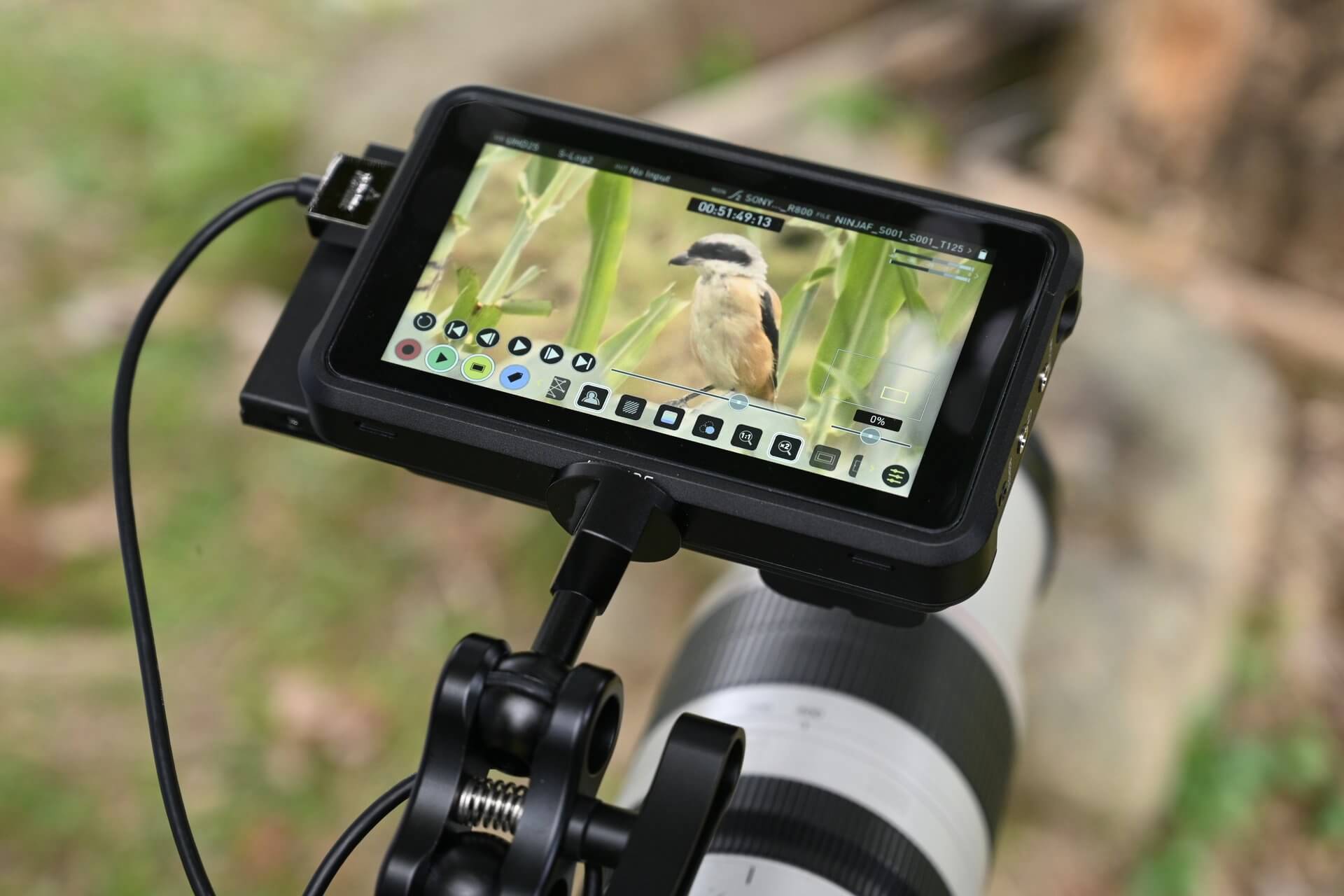
- 04-hong-kong-wildlife-video-monitor.jpg — real wildlife video-monitor photograph from the Outdoor Wildlife Learning Hong Kong fieldwork page. Direct image: original file.
Research current through 2026-09-16 UTC. Google documentation, browser behaviour, image formats and Search Console reports can change; test the live page and check the current documentation when implementation details matter. The included photographs are real images found online; publication and commercial reuse rights remain with their original publishers or photographers and must be confirmed before use. This article is a practical interpretation of the linked guidance, not a promise of rankings. Confirm image licences before publication; the source pages and original files remain the authority for reuse terms.